
Converter Profibus
Download PDF datasheet
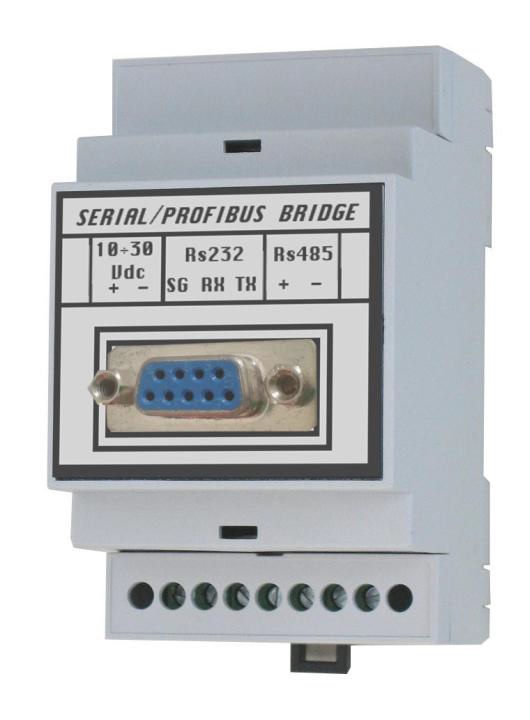
Module dedicated to connection with GICAM instruments (not universal). The connection between the GICAM instrument and the Profibus interface is performed through the terminal block pitch 5.08 mm (Rs232/485 compatible), the connection with Profibus line is performed through the 9 pin Sub-D connector.
Click on the image to enlarge
Technical specifications
| Power supply | 10 - 30 Vcc ± 15% |
|---|---|
| Max power consumption | 2 W (maximum 80 mA @ 24 Vdc) |
| Isolation | Class II |
| Installation Category | Category II |
| Operating temperature | -10 / +50 °C (14 / 122 °F) Humidity Maximum 85% non-condensing |
| Storage temperature | -20 / +60°C (-4 / +140°F) |
| Overall dimensions | 55 x 90 x 58 mm / 2.2 x 3.5 x 2.3 in (l x h x p) |
| Mounting | On OMEGA bar |
| Case material | Self-extinguishing Noryl (UL94 V0) |
| Connections | Screw terminals & DSUB 9 points |
| Conforms to standards | EN61000-6-2, EN61000-6-3, EN61010-1 |
For complete and up-to-date technical specifications please refer to the datasheet you can download here
Download PDF datasheet Connections
| Type | PROFIBUS 7 pins Terminal 5.08 mm pitch |
|---|---|
| Length | ND |
| 1 | + 10 ÷ 30 Vdc |
| 2 | GND |
| 3 | RS232 SG |
| 4 | RS232 RX |
| 5 | RS232 TX |
| 6 | RS485 + |
| 7 | RS485 - |

Load cell mounting
General guidelines for installing and mounting load cells:
- Respect the direction in which forces are applied to the load cells
- Do not exceed the temperature limits shown on the rating plate
- Do not remove the labels from the cells
- Protect cables properly with sheaths or cable ducts
- Connect each cell to earth with a suitable cable, bridging the plates of the mounting accessories if necessary
- Do not weld on the mechanical structure once the cells are in place
- Avoid or minimise mechanical constraints between the fixed structure and the weighed structure, to prevent weighing errors and zero return problems
- When vibrations or dynamic loads are present, protect the cells with anti-vibration mounts
- Protect the cells from dust build-up with suitable covers